
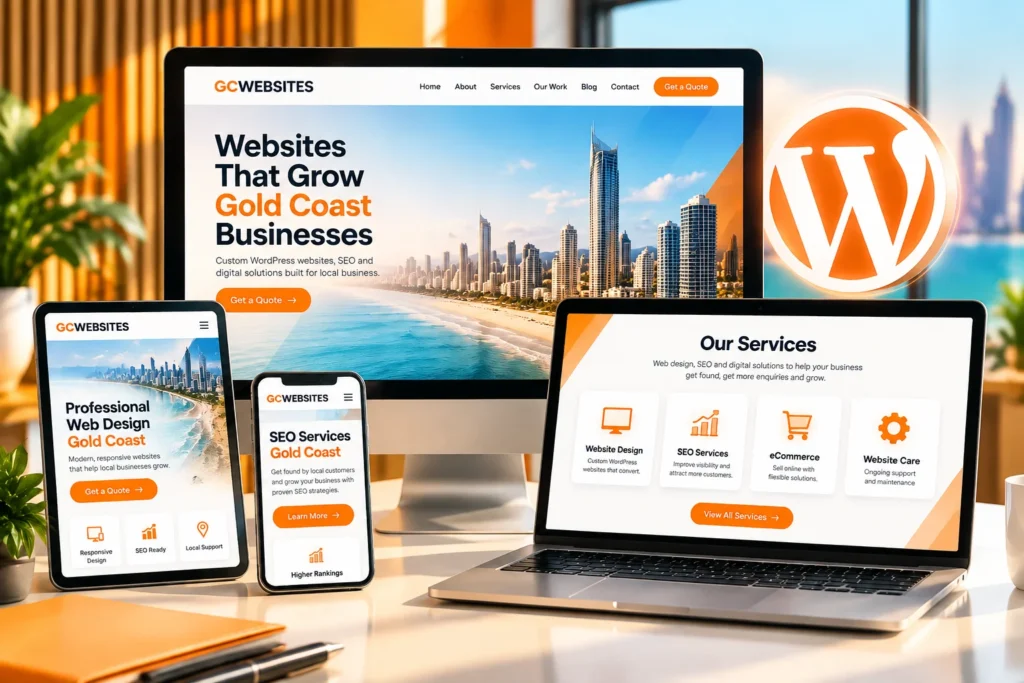
WordPress web design Gold Coast businesses invest in should do more than produce a website that looks polished.
Strong photography, modern typography and an impressive layout mean little if customers struggle to understand the service, find the right information or work out what to do next. A website can look sharp on a desktop but become awkward on a phone. Even simple content changes can become frustrating if outside help is needed every time.
A WordPress website should earn its place in the business.
For Gold Coast businesses planning a new website, the project needs to go beyond appearance. The site should support the way customers search, compare options and make decisions. Its structure should make services easy to understand, support ongoing SEO and leave room for the website to grow as the business changes.
Appearance matters. Business performance gives the website its purpose.
Your WordPress Website Has a Job to Do, Not Just a Look to Maintain
Visual design shapes a visitor’s first impression. The real test begins when that person tries to use the website.
A service business may need visitors to understand what it does, decide whether the service suits them, review previous work and make contact. An online store has a different job. Products need to be easy to find, information needs to answer buying questions and checkout should feel straightforward.
Those customer journeys should influence the website design from the start.
WordPress Web Design Should Begin With Business Goals
Before focusing on individual page layouts, establish what the website needs to achieve.
A homepage may need to introduce several services without overwhelming the reader. A service page may need enough detail to answer questions before someone is ready to enquire. Navigation should use language customers recognise rather than internal terminology that only makes sense inside the business.
Calls to action deserve the same consideration. Adding more buttons does not automatically create a stronger conversion path. Visitors need enough information to understand what happens after they click.
For one business, the logical next step may be an enquiry form. Another may need a phone call, booking, quote request or purchase.
The page should make that next step easy to recognise.
Attractive Website Design Cannot Compensate for Poor Usability
Poor usability can hide underneath good visual design.
A visitor can land on a polished homepage and still struggle to find service information, contact details or the answer to a basic question. Dense copy makes useful information difficult to scan. Small text and tightly packed buttons create problems on mobile screens. Complicated menus force people to guess where information sits.
Every obstacle asks the visitor for more patience, and a business has no control over how much patience that person brings.
Good website usability makes information easier to find and important actions easier to complete.
A WordPress Website Should Make the Next Step Obvious
Website visitors arrive with different levels of knowledge.
One person may already know they need a WordPress developer. Another may be comparing Gold Coast web design companies. Someone else may have searched for a specific problem and arrived on a service page or blog article without seeing the homepage first.
The website needs to give each visitor enough context to keep moving.
Mobile-Friendly WordPress Design Should Make Decisions Easier
Clear page structure helps people understand where they are and what to do next.
A specific heading confirms they are in the right place. Supporting copy answers the questions likely to follow. Related services can appear at useful points rather than being pushed into every section. Calls to action can sit where readers have enough information to use them confidently.
Mobile design deserves the same attention.
Mobile access is a central part of how Australians interact with businesses online. The Australian Communications and Media Authority reported that 97% of Australian adults used a mobile phone to access the internet in 2025, while 92% used mobile internet daily.
Many customers will first encounter a Gold Coast business on a phone. Menus, forms, buttons, text and page layouts therefore need to work properly on smaller screens.
Good usability rarely draws attention to itself. People find what they need and keep moving.
Build SEO Into Your WordPress Website From the Start
SEO decisions often begin before the first page is designed.
The services a business wants to target through search can influence website architecture, page planning, navigation, headings, content depth and internal links. Leaving those decisions until after launch can create additional work if the website later needs to be reorganised.
For that reason, WordPress web design and SEO should not be treated as completely separate parts of a website project.
Give Search Engines and Customers a Clear Website Structure
Search engines need to understand what individual pages cover and how those pages relate to one another. Customers benefit from that clarity too.
A business offering several distinct services will usually need enough space to explain each service properly. Forcing everything onto one general page can make information harder for customers to find and give individual topics less room to be explained.
Clear headings organise information. Internal links connect related subjects.
A reader considering a new website, for example, can move to the WordPress web design service page for service-specific information. Someone exploring the broader relationship between web design, WordPress, SEO and ongoing website support can move to relevant supporting content.
Each page should have a defined role within the wider site.
Good structure cannot guarantee search rankings. Organic performance also depends on competition, content, authority, technical health and other factors. A well-planned structure gives the website a stronger foundation for ongoing SEO work.
Every WordPress Service Page Should Have a Reason to Exist
Separate pages work best when each one answers a distinct set of questions.
A WordPress web design page can explain the design and development service. A hosting page can cover server management, maintenance and support. An SEO page can go further into search visibility and campaign work.
Creating near-identical pages for slight keyword variations offers little value to customers.
Useful pages need their own purpose.
Your WordPress Website Should Be Ready for Business Growth
The website a business needs today may be smaller than the site it needs two or three years from now.
Services change. Teams grow. Marketing campaigns need landing pages. Businesses publish more content. Some service companies add online payments or eCommerce. Others introduce bookings, customer portals, forms or third-party integrations.
The original WordPress website build should account for realistic growth without trying to predict every future requirement.
Good WordPress Development Planning Makes Future Changes Easier
We use WordPress as the main content management system for our website projects, with WooCommerce available for businesses that need eCommerce functionality.
The platform provides considerable flexibility, although the quality of the build still depends on the decisions made around it.
Page structures need consistency. Content should be organised sensibly. Plugins should have a genuine purpose rather than being installed simply because they are available. Integrations should solve a business requirement without creating unnecessary technical baggage.
Planning these elements early can make later expansion easier.
Adding another service should feel like extending an organised website rather than reopening the entire project.
You Should Control the WordPress Website You Have Paid For
Website ownership can receive surprisingly little attention during a web design project.
Most discussions naturally focus on appearance, functionality and launch. Access becomes far more noticeable six months later when someone wants to update staff information, publish an article, change a phone number or add a new service.
Routine WordPress content updates should not become a source of unnecessary friction.
WordPress Website Ownership Includes Practical Access
One reason we work with WordPress is the level of control it can give businesses over their own content.
Our approach includes providing clients with administrator access and training so they can manage suitable content after launch. The goal is to give the business practical control over the website it has commissioned.
Some technical work still benefits from professional support. Server configuration, security problems, structural development and code changes require different skills from updating a page or publishing an article.
The distinction is straightforward: you should know what you own, what access you receive and which tasks you can manage internally.
Those questions belong in the conversation before the website build starts.
Training Makes Everyday Website Management Easier
Training allows a business to handle ordinary content changes without turning every edit into a development request.
Staff can publish articles, update services and maintain core information, while specialist support remains available for technical maintenance, design work and larger development changes.
That gives the client practical control without suggesting every aspect of website management needs to move in-house.
WordPress Templates Can Save Time, but the Business Should Shape the Website
Templates can provide a useful starting point for straightforward WordPress projects and speed up parts of the design process.
Problems arise when the business has to reshape its content, priorities or customer journey around the limitations of a prebuilt layout.
A plumbing company, accountant, retailer and health practice do not have identical customers. Their page priorities, trust signals, information requirements and calls to action can differ considerably.
The layout should reflect those differences.
| Website requirement | What the visitor needs | What the website should support |
| Service discovery | Understand what the business offers | Clear navigation and useful service pages |
| Comparing options | Decide whether the business is suitable | Detailed information, relevant proof and clear differences |
| Making an enquiry | Know what to do next | Visible and relevant calls to action |
| Mobile browsing | Find information on a smaller screen | Readable text, usable menus, forms and buttons |
| Future growth | Access new services or functionality | A structure that can accommodate sensible expansion |
| Ongoing management | Keep information current | Practical content access and clearly defined support |
Our WordPress work is planned around the requirements of each project. Tools such as Elementor can make content management more accessible while allowing layouts to reflect the client’s services and users.
The starting point should be what customers need from the website, not what happens to fit inside a template.
WordPress Website Support Matters After Launch
A website keeps changing after it goes live.
WordPress receives updates. Plugins change. Backups need to run reliably. Security needs ongoing attention. Hosting affects the environment in which the site operates. New business requirements also appear over time.
Those responsibilities should be clear before launch.
WordPress Hosting and Support Need Defined Responsibilities
We provide managed hosting and website support alongside our web design services, including Australian-based hosting infrastructure.
For a business owner, practical questions are often more useful than a long list of technical specifications.
Who manages updates? Who monitors the website? Are backups running? What happens after a technical problem? Who should the team contact when help is needed?
Clear responsibility makes the website easier to operate over the long term.
Ongoing WordPress Support Can Coexist With Client Control
Businesses do not have to choose between managing everything internally and giving away control.
A company can retain administrator access while using an experienced team for maintenance. Staff can manage everyday content while developers handle larger changes. Hosting and technical support can remain managed without preventing the client from understanding and controlling its website.
Ownership determines what the business controls. Support determines where specialist help remains available.
That distinction should be clear from the start.
What Should You Expect From a Gold Coast WordPress Web Designer?
A portfolio can show you what a WordPress web designer’s websites look like. It says far less about how those websites work after launch.
Ask how the provider approaches mobile usability. Find out how the website will be structured around your services and customers. Discuss SEO before the build begins. Confirm what administrator access you receive and whether training forms part of the handover.
Hosting deserves a direct conversation as well.
Find out who manages updates, security and backups. Ask how ongoing support works and what happens when you want to make larger changes later.
Future plans belong in the initial brief too. A business expecting to add eCommerce, new services or additional functionality should raise those plans early enough for the website architecture to account for them.
Before choosing a Gold Coast WordPress web designer, make sure you understand the access you will receive after launch, who owns the website and content, whether your team can make routine changes, whether training is included, how mobile usability and SEO are considered, who handles hosting and technical support, and whether the website can accommodate the changes you realistically expect to make.
A productive WordPress web design conversation should cover the business, its customers and the job the website needs to perform, not just how the finished pages will look.
Judge Your WordPress Website by What It Helps Your Business Do
A strong WordPress website should help a Gold Coast business communicate clearly, guide customers through useful information and create straightforward paths towards action.
Its structure should support useful content and ongoing SEO work. It should accommodate sensible growth. The business should understand its access, ownership and support arrangements from the outset.
Those outcomes begin before anyone starts polishing the homepage.
We build WordPress websites around the requirements of the business and the people using the site. If your current website feels dated, restrictive or disconnected from the way your business operates today, the next step is to identify what needs to change and what a replacement website needs to achieve.
[Talk to us about your WordPress website project – replace with confirmed contact URL] and tell us what you need the new site to do.
Questions to Ask Before Commissioning a WordPress Website
Will WordPress Make It Easier for Us to Manage the Website Ourselves?
It can.
The result depends on how the site is built, the access you receive and how the content is organised. We provide administrator access and training so clients can manage suitable day-to-day content, while technical maintenance and larger development work can remain with experienced support.
Should SEO Be Considered During the WordPress Website Design Process?
Yes.
Page hierarchy, navigation, headings, internal links and content planning all influence how clearly the site communicates its subject matter. Addressing those elements during planning can prevent avoidable restructuring after launch.
Is a Custom WordPress Website Better Than Using a Template?
The right approach depends on the project.
A template can suit a straightforward website if its structure genuinely fits the business. Businesses with more specific customer journeys, functionality, content requirements or branding may need greater control over the layout.
How Can I Tell Whether a Website Is Designed to Generate Enquiries?
Follow the path a potential customer would take.
The visitor should be able to understand the service, answer reasonable buying questions, find relevant information that builds confidence and identify the next step without hunting for it.
Strong conversion design removes unnecessary obstacles from that journey.
What Should I Ask a Gold Coast WordPress Web Designer Before Choosing Them?
Ask about administrator access, website ownership, mobile usability, SEO planning, content management, hosting, support and future expansion.
These questions help you understand what the website will be like to operate after launch, not just how it will look on launch day.