
Starting a new business comes with many expenses. From product development to marketing and operations, costs can add up quickly. For many new business owners, creating a professional website may seem like another costly requirement. However, the truth is that building a website does not always require a large budget.
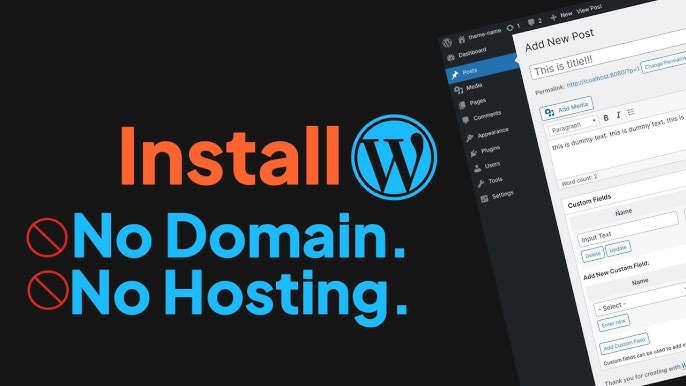
Today, entrepreneurs can launch a website using a WordPress free setup, allowing them to establish an online presence without spending money. WordPress offers beginner-friendly tools, ready-made themes, and built-in hosting options that make website creation accessible even for people with no technical background.
For new business owners, this means you can introduce your services, display contact information, and begin building your brand online without hiring a developer. A WordPress free setup can be the first step towards building a strong digital presence while keeping costs under control.
In this guide, we will explain how to build a WordPress website for free, what features you can expect, and how to make the most of the platform as your business grows.
Why Every New Business Needs a Website
Whether you operate a local service, sell products online, or provide professional consulting, a website helps customers find and trust your business.
Many customers search online before deciding which company to contact. A website gives your business a place where people can learn about your services, read testimonials, and understand how to reach you.
Online visibility has become increasingly important for Australian businesses. According to the Australian Communications and Media Authority, 99 percent of Australian adults access the internet, which means most potential customers begin their search for products or services online.
Because so many Australians rely on the internet to find information, even a simple website can significantly improve how easily customers discover your business.
Even a simple website can help your business:
- Appear in online searches
- Provide accurate contact information
- Showcase products or services
- Build credibility with potential customers
- Generate new enquiries
For startups working with limited budgets, using a WordPress free setup provides an affordable way to begin building this online presence.
What Is WordPress?
WordPress is one of the most widely used website platforms in the world. Millions of websites rely on WordPress because it combines flexibility, simplicity, and scalability.
The platform allows users to publish content, manage pages, and customise website designs without needing advanced technical skills.
Many business owners choose WordPress because it offers:
- Easy website editing
- Thousands of design themes
- Blogging capabilities
- Mobile-friendly layouts
- Strong search engine compatibility
A WordPress free setup provides access to many of these features without requiring an upfront investment.
How a WordPress Free Setup Works
Creating a WordPress site without spending money is simpler than many people expect. The process usually involves choosing the free hosting version of WordPress and selecting a design template.
Here are the basic steps involved.
Step 1: Choose the Free WordPress Platform
WordPress offers a hosted platform where websites can be created without purchasing separate hosting. This option allows new users to start with a WordPress free setup quickly and easily.
Step 2: Create an Account
Signing up requires only an email address and password. Once registered, you can begin setting up your website immediately.
Step 3: Select Your Website Name
Your website name becomes part of your web address. Free websites usually include a WordPress subdomain, such as:
yourbusiness.wordpress.com
While some businesses later upgrade to custom domains, this option works well for beginners.
Step 4: Choose a Theme
WordPress provides free themes that control the visual appearance of your site. These templates allow you to launch a professional-looking website even if you have no design experience.
Step 5: Add Your Content
Once the theme is selected, you can begin adding pages such as:
- Home
- About
- Services
- Contact
With a WordPress free setup, publishing content becomes simple and quick.
Features Available in a Free WordPress Website
Free websites have some limitations, but they still provide useful tools for new business owners working with a limited budget. A free WordPress setup includes the essential features needed to launch and manage a basic site, present services, and connect with potential customers.
Built-In Hosting
A WordPress free setup includes hosting, which stores your website files and makes the site accessible online. The platform manages server settings, security updates, and other technical requirements, allowing beginners to focus on building and publishing their website.
Ready-Made Design Themes
Design can be one of the most challenging aspects of building a website, especially for new business owners without design experience. Fortunately, WordPress offers a wide range of free themes that provide ready-made layouts. These themes allow users to customise the appearance of their website by adjusting colours, fonts, and page structures. Most themes are created by professional designers and optimised for readability and user experience. With a WordPress free setup, businesses can quickly apply a theme and achieve a polished look without needing advanced design skills.
Blogging Tools
WordPress originally started as a blogging platform, which means its publishing tools remain one of its strongest features. Businesses can easily create blog posts to share updates, industry insights, tutorials, or helpful information for customers. Blogging not only helps engage visitors but can also improve visibility in search engines. Regularly publishing valuable content can attract more visitors and help establish authority in your field.
Media Management
A visually appealing website can make a strong impression on visitors. WordPress allows users to upload images, videos, and graphics to enhance their content. These media tools make it easy to organise files and insert them into blog posts or pages.
Mobile-Friendly Layouts
Many people now browse websites on smartphones and tablets rather than desktop computers. Most modern WordPress themes automatically adjust to different screen sizes, ensuring that websites display properly on mobile devices.
Overall, a WordPress free setup gives businesses access to essential website features while keeping startup costs low.
Tips for Building a Professional Website
Free tools can support a polished website when paired with sound design practices. A well-organised site looks credible and helps visitors find information quickly.
Keep Your Design Simple
A clean layout is often more effective than a complicated design. Avoid overcrowding pages with too many images, colours, or unnecessary sections. Use clear headings and organised content to make each page easy to understand.
Write Clear Service Descriptions
Explain what your business offers in simple language. Avoid technical terms and lengthy explanations. Visitors should understand your services within seconds.
Use High-Quality Images
Use clear, relevant photos and graphics to present your products, services, or completed projects. Poor-quality or generic images can reduce the credibility of the website.
Provide Clear Contact Information
Display your phone number, email address, and enquiry form in easy-to-find locations. Add key contact details to the website footer so visitors can access them from any page.
Maintain Consistent Branding
Use the same colours, fonts, and logo styles across every page. Consistent branding helps strengthen recognition and presents a clear business identity.
These practices can help new business owners create a professional, user-friendly website using a free WordPress setup.
When Should You Upgrade?
A free website may be suitable during the early stages of a business. An upgrade may be needed as traffic increases or additional features become necessary.
An upgraded plan may allow you to:
- Use a custom domain name
- Install additional plugins
- Remove platform branding
- Access more design options
Many businesses begin with a free WordPress setup and invest in extra features once the website requires greater flexibility.
Why WordPress Is a Smart Long-Term Choice
WordPress supports both new and established businesses. Its flexible structure allows a website to expand as business requirements change.
Additional features may include:
- Online stores
- Booking systems
- Membership platforms
- Marketing tools
A free WordPress setup can develop into a fully customised website as the business grows.
Website Creation with WordPress Free Setup for Growing Businesses
Launching a website does not require a large investment. New business owners can create a professional online presence using free tools.
A free WordPress setup includes hosting, design templates, and publishing tools suited to beginners. Entrepreneurs can introduce their businesses online while keeping startup costs low.
The website can grow with the business through added features and functionality.
Getting started is the first priority.
GC Websites can help take your website beyond the basics.
Our team creates high-quality WordPress websites for growing businesses. We can upgrade a basic site or develop a fully customised online platform using practical solutions aligned with your business goals.
Contact us today to turn your WordPress idea into a professional business website.